
Digital performance metrics are the numbers that show how your online marketing and business activities perform. Think of them as the vital signs for your digital strategy, telling you if your efforts are attracting the right audience, keeping them engaged, and ultimately, growing your business.
So, What Exactly Are Digital performance Metrics?
Imagine your business has a dashboard like a car's. It shows your speed, fuel level, and engine health. Digital performance metrics are that dashboard. They are not just numbers; they are critical signals that measure website traffic (speed), conversion rates (fuel efficiency), and customer engagement (engine health).
For any South African business serious about growth, monitoring these signals is non-negotiable. It separates a strategy built on guesswork from one driven by informed decisions.

Turning Numbers into Real-World Insights
For small to mid-sized businesses (SMEs), connecting online activity to real-world results like sales and customer satisfaction is essential for survival. Without clear metrics, you are essentially spending money on marketing without knowing what works and what is a waste.
A solid grasp of your key metrics creates a direct link between online campaigns and your bottom line. It’s about digging deeper than surface-level numbers to understand the true digital marketing performance metrics that signal genuine business impact.
KPIs vs. Metrics: An Important Distinction
It's easy to confuse "metrics" and "Key Performance Indicators" (KPIs), but they play different roles.
- Metrics are quantifiable measurements. Website visitors, email open rates, and social media followers are all metrics. They provide raw data on specific activities.
- KPIs are the specific metrics you select as the most critical indicators of success. They tell you if you are on track to achieve your primary business goals.
For example, the total number of website visitors is a metric. The percentage of those visitors who become qualified sales leads is a KPI. All KPIs are metrics, but only your most important metrics should be KPIs.
This distinction is crucial for SMEs. By focusing on a few carefully selected KPIs, you avoid "analysis paralysis"—being overwhelmed by data without knowing what to do. This focus allows you to tune out the noise, optimise your budget, and drive meaningful growth.
Need help building your next Power BI dashboard or data automation workflow? Contact DataSimplified to discuss how we can turn your business data into powerful insights.
The Six Metric Categories Every Business Should Track
With so much data available, it's easy to get overwhelmed. The key is not to track everything, but to track the right things. Smart businesses group their digital performance metrics into a few key categories. This approach provides a complete picture of performance across the entire customer journey.
Let's focus on these six core areas.
1. Web and Product Performance
Think of your website or app as your digital storefront. Before you can market it, you must ensure it works correctly. Web and product performance metrics tell you if your digital presence is technically sound, fast, and user-friendly.
If your site is slow or broken, any money spent on advertising is wasted.
- Page Load Speed: How quickly do your pages load for visitors? A slow site is a primary reason people leave.
- Uptime: The percentage of time your website or app is online and functional. This should be as close to 100% as possible.
- Error Rate: How often do users encounter technical issues, like a 404 "Page Not Found" error?
2. Customer Acquisition
Once your storefront is in good shape, the next question is: are people visiting? And are they the right people? Customer acquisition metrics measure how effective and costly your marketing and sales efforts are at bringing in new prospects.
This is about understanding which channels provide the best return on investment.
- Customer Acquisition Cost (CAC): The total sales and marketing spend required to gain one new customer.
- Traffic by Source: Where do your visitors come from? Organic search, paid ads, social media? This tells you what's working.
- Click-Through Rate (CTR): The percentage of people who see your ad or link and actually click on it. It indicates whether your messaging is effective.
3. User Engagement
Getting people to your site is just the first step. Engagement metrics measure what happens next. Do they stay and interact with your content, or do they leave after a few seconds? Strong engagement is a clear sign of interest and often precedes a conversion.
Engagement shows that you're not just reaching an audience; you're connecting with them. A visitor who views multiple pages is far more valuable than one who bounces immediately. For more on this, explore our guide on marketing performance tracking.
4. Conversion Rates
This is where your efforts translate into business results. Conversion metrics track the percentage of users who take a desired action, such as making a purchase or signing up for a newsletter.
Improving conversion rates is one of the most direct ways to increase revenue.
- Lead Conversion Rate: The percentage of website visitors who provide their contact details, for example, by filling out a form.
- Sales Conversion Rate: The percentage of leads who become paying customers.
- Goal Completions: This tracks specific, non-financial actions like downloading a brochure or watching a demo video.
5. Customer Retention and Loyalty
It is almost always more expensive to acquire a new customer than to retain an existing one. Retention and loyalty metrics help you measure how well you are keeping customers coming back. A loyal customer base is the foundation of sustainable growth.
These numbers provide insight into the long-term health of your business.
- Customer Lifetime Value (CLV): The total revenue you can expect from a single customer over their entire relationship with your business.
- Churn Rate: The percentage of customers who stop doing business with you over a specific period. This number should be as low as possible.
- Repeat Purchase Rate: The percentage of customers who have made more than one purchase.
6. Operational Health
Finally, operational health metrics monitor your technical infrastructure. They track the reliability and efficiency of your systems. While customers don't see these numbers directly, they feel their effects. For any SaaS business or e-commerce store, poor operational health can halt operations.
This also includes monitoring your data pipelines and ETL processes to ensure your analytics are accurate. Bad data leads to bad decisions.
Building a Solid Data Foundation for Reliable Metrics
Your digital performance metrics are only as good as the data they are built on. If your data is messy or incomplete, you will get flawed insights, leading to poor business decisions. Getting your data foundation right is the most important step for any business that wants to report on performance with confidence.
Business data often arrives from sales, marketing, and operations in a disorganised state. Without a proper system, finding what you need is difficult, and you can never be sure you have the complete picture. This is why your Google Analytics and CRM data might tell different stories about the same customer.
A strong data foundation brings order to this chaos. It transforms messy data into an organised, trustworthy library, making accurate insights possible.
The Role of ETL in Creating Clarity
How do we organise this data? The process is called ETL, which stands for Extract, Transform, and Load. It is the engine that ensures every metric you see is accurate and reliable.
Here’s how it works:
- Extract: We pull raw data from all your sources, such as website analytics, accounting software, social media accounts, and your customer relationship management (CRM) system.
- Transform: Raw data is almost always messy. We clean it, standardise formats (like dates or addresses), remove duplicates, and structure it for unified analysis.
- Load: We load this clean, organised data into a central repository, typically a data warehouse. This becomes your single source of truth for all reports and dashboards.
This organised approach solves the common problem of different departments reporting different numbers for the same metric.
Data Quality Is Not an Afterthought
Poor data quality can quietly undermine your entire strategy. Decisions based on incorrect customer details or flawed sales figures can be costly. Ensuring high data quality through consistent checks for accuracy, completeness, and timeliness is critical. We cover the essential steps in our guide to improving data quality for business success.
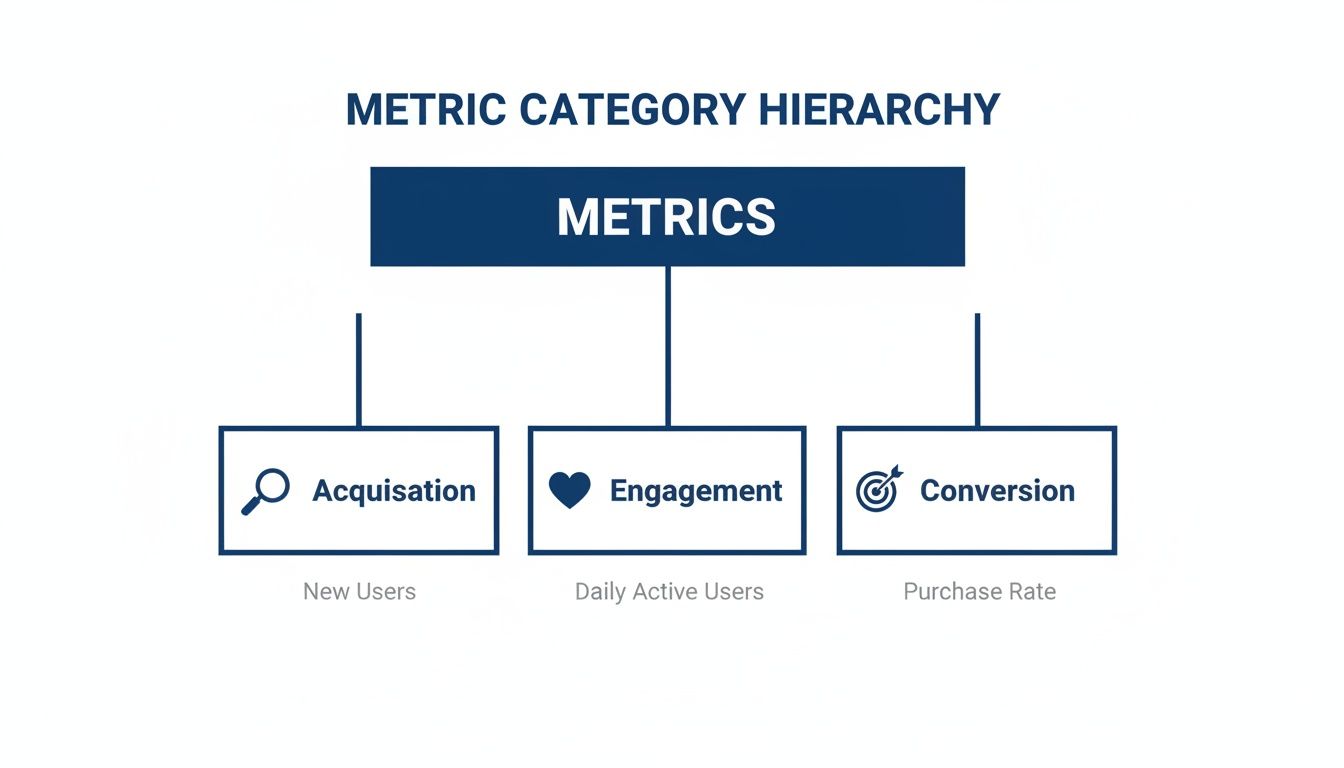
This hierarchy shows how foundational metrics around customer acquisition and engagement build towards the ultimate goal: conversion. Without first attracting and engaging users, you will not achieve meaningful conversions. This reinforces the need to see the whole picture, not just isolated numbers.
Why a South African Context Matters
Understanding the local digital landscape is crucial when building your data foundation. According to South Africa's latest digital statistics, internet penetration is expected to reach 78.9% by early 2025. Critically, 97.5% of mobile connections are broadband, and mobile is the primary means of internet access for 72.6% of households.
This means your digital performance metrics must be mobile-first. You need to prioritise metrics like page load speed and server response times for a predominantly mobile audience.
A solid data foundation allows you to segment your metrics in ways that matter. You can analyse performance by province, connection type, or device, uncovering insights a generic approach would miss. Automating data collection and centralising it is the first step in turning data chaos into a business asset, enabling powerful business intelligence tools like Power BI to deliver the insights you need.
Bringing Your Metrics to Life with Power BI
Once you have a solid data foundation, the next step is to make that data meaningful. Raw numbers in a spreadsheet are difficult to interpret. Business intelligence (BI) tools, especially Power BI, transform complex datasets into clear, actionable dashboards.
A BI tool turns a thousand-row spreadsheet into an interactive map of your business. This moves you from static monthly reports that are instantly outdated to a dynamic tool that helps you ask smarter questions and get immediate answers.

From Data Points to Decisions
A well-designed Power BI dashboard does more than display your digital performance metrics. It allows you to interact with them, uncover trends, and understand the "why" behind the numbers. This is the crucial step that enables confident, data-driven decisions.
With a custom dashboard, you can:
- Spot trends instantly: Visual charts make it obvious if sales are trending up, customer churn is increasing, or a specific marketing campaign is succeeding.
- Drill down into specifics: Go from a high-level national sales view to provincial performance with a few clicks. Filter by product, time period, or customer segment to isolate what matters.
- Monitor performance in real-time: Connect your dashboard to live data sources to track key metrics as they happen, such as marketing spend versus revenue generation.
Understanding performance analytics for ads is vital when using tools like Power BI. Dashboards make it possible to see the direct impact of your advertising efforts on your bottom line.
Why South African Context Is Crucial in Dashboards
Presenting national averages can be misleading in South Africa due to significant regional differences in internet infrastructure. For example, ICASA’s recent State of the ICT Sector Report highlights these disparities. Mobile access varies from 67.2% in the Eastern Cape to 78.5% in KwaZulu-Natal, while fixed home internet penetration is 40.1% in the Western Cape but only 3.1% in Mpumalanga.
A website optimised for fast, fixed-line connections in the Western Cape might perform poorly for mobile users in provinces with less reliable networks. This means metrics like page load time and mobile conversion rates can differ dramatically by region.
A properly built Power BI dashboard lets you segment your data by province and connection type. This helps you avoid making broad decisions based on national averages and allows you to tailor your digital strategy to the real-world conditions of your diverse customer base. You can learn more about how Power BI is transforming business intelligence.
Choosing the Right Chart for Your Metric
The power of a dashboard depends on choosing the right visualisation for each piece of data. Different chart types tell different stories. Selecting the wrong one can obscure insights or lead to incorrect conclusions.
The table below provides a simple guide for matching your metrics to effective visualisations.
Choosing the Right Chart for Your Metric
| Metric Type | Best Chart Type | Why It Works |
|---|---|---|
| Time-Series Data (e.g., daily website traffic) | Line Chart | Clearly shows trends, patterns, and fluctuations over a continuous period. |
| Category Comparison (e.g., sales by province) | Bar Chart | Makes it easy to compare the magnitude of different groups side-by-side. |
| Part-to-Whole Relationship (e.g., traffic sources) | Pie or Donut Chart | Instantly shows the proportion each category contributes to a total. |
| Single Key Number (e.g., total quarterly revenue) | Card or KPI Visual | Highlights a critical, standalone metric for at-a-glance understanding. |
By carefully selecting your charts, you ensure that your dashboard communicates information clearly and effectively, guiding you toward smarter decisions.
Need help building your next Power BI dashboard or data automation workflow? Contact DataSimplified to discuss how we can turn your business data into powerful insights.
Common Metric Traps and How to Avoid Them
Tracking digital performance should provide clarity, but it's easy to be misled by the wrong numbers. Many businesses fall into common traps that result in bad decisions, wasted money, and a false sense of security. Knowing these pitfalls is the first step toward building a data practice that provides useful insights.
The Danger of Vanity Metrics
The most common trap is focusing on vanity metrics. These are numbers that look good but say nothing about your business's health, such as social media likes, page views, or app downloads. A large number feels good, but it doesn't automatically mean more revenue or happier customers.
Instead, focus on an actionable metric—a number that helps you make a specific business decision.
- Vanity Metric Example: Your social media post gets 10,000 likes. It looks fantastic, but did it generate any sales or new leads? It’s hard to tell.
- Actionable Metric Example: You track your conversion rate by traffic source and discover your email campaign has a 5% conversion rate, while paid ads convert at only 1%. Now you know where to allocate your marketing budget.
Imagine a business owner celebrating 50,000 monthly website visitors. If the bounce rate is 90% and almost no one signs up, those visitors are not contributing to the bottom line. The real story is in the actionable metrics.
Forgetting to Add Context
Another common mistake is looking at a high-level number without deeper analysis. A single metric rarely tells the whole story. Without context, it's easy to draw the wrong conclusion. A national conversion rate could hide significant differences between provinces.
The key to adding context is segmentation. By breaking down your data into smaller groups, you can uncover the real drivers of your performance.
- Segment by device: Is your conversion rate higher on desktop than on mobile? This could indicate a poor mobile experience that needs fixing.
- Segment by location: Are customers in Gauteng converting better than those in the Western Cape? This might reveal an opportunity for a targeted regional campaign.
- Segment by user type: Do new visitors behave differently from returning customers? This helps you tailor your strategy for both acquisition and retention.
Ignoring context is like navigating a city with a map that only shows major highways—you miss the side streets where everything important happens.
Working with Data Silos
Data silos occur when information is trapped in different systems that don't communicate. Your marketing team has their numbers in Google Analytics, while the sales team has a different view in your CRM. This leads to conflicting reports and a fragmented picture of the customer journey.
Breaking down these silos is essential. You need to create a single source of truth, often by implementing solid ETL and integration processes. When everyone works from the same unified data, you can make coherent, aligned decisions.
Succumbing to Analysis Paralysis
Finally, it's possible to have too much information. With countless digital performance metrics available, it's easy to become overwhelmed. This leads to analysis paralysis, where over-thinking prevents you from making a decision.
To avoid this, be selective about what you focus on. Don't try to track everything. Instead, link your metrics directly to your most critical business goals and choose a handful of KPIs that truly measure progress. This keeps your dashboards clean and your team focused on what will actually drive results.
Need help building your next Power BI dashboard or data automation workflow? Contact DataSimplified to discuss how we can turn your business data into powerful insights.
Your First Steps to Data-Driven Decisions
Moving from theory to action can feel challenging. You understand the concept of digital performance metrics, but what do you do next? The secret is to start small and stay focused. This framework provides a clear path to get started.
By taking these first steps, you are laying the groundwork for a smarter, more insightful business.
Step 1: Define Your Core Business Goal
Before looking at any data, you must know what you are trying to achieve. Ask yourself: "What is the single most important business goal we need to hit this quarter?"
This should be a real business outcome, not a marketing tactic.
- Are you aiming to increase monthly recurring revenue by 15%?
- Is the goal to reduce customer churn from 5% to 3%?
- Do you need to generate 50 qualified sales leads for a new service?
A clear, measurable business goal acts as your north star, ensuring every metric you track has a purpose and is tied to a tangible result.
Step 2: Select a Handful of Key Metrics
Once your goal is set, choose the metrics that show your progress toward it. Resist the temptation to track dozens of numbers. Start with just three to five key metrics.
For a goal of generating 50 qualified sales leads, your key metrics might be:
- Lead Conversion Rate: The percentage of your website visitors who become leads.
- Cost Per Lead (CPL): How efficiently you are spending your marketing budget.
- Traffic by Source: Which channels (organic search, paid ads, social media) are delivering results.
Focusing on a few powerful numbers helps you avoid analysis paralysis.
Step 3: Identify Your Data Sources
Now that you know what to measure, where does the data live? For most SMEs, this information is scattered across various systems.
You will likely need to pull data from:
- Website Analytics: For traffic and on-site behaviour (Google Analytics).
- CRM System: For lead and customer data (HubSpot or Salesforce).
- Advertising Platforms: For campaign performance (Google Ads or Meta Ads).
Listing these sources is a crucial first step. It shows you what you're working with and what needs to be connected.
Step 4: Begin the Integration Process
Finally, start bringing all that data together. This is where the foundational work of ETL and integration begins. The goal is to create a single source of truth where you can see how performance in one area affects results in another.
This technical step makes powerful Power BI dashboards and reliable reporting possible. It is often the most challenging part, but it is what transforms isolated data points into powerful business insights.
Need a hand building your first Power BI dashboard or data automation workflow? Contact DataSimplified to discuss how we can turn your business data into your biggest asset.
Your Digital Metrics Questions, Answered
When South African business owners begin exploring digital metrics, many practical questions arise. Getting straight answers is the first step toward building a measurement plan that works.
Here are some of the most common questions we receive from clients.
What Tools Can I Use if My Budget is Tight?
You do not need to spend a fortune on enterprise software to start. For most SMEs, a few powerful and often free tools are sufficient.
A budget-friendly starting stack includes:
- Google Analytics 4 (GA4): This is essential for understanding your website visitors, their behaviour, and conversions. It's free and highly capable.
- Native Social Media Analytics: Platforms like Meta (for Facebook and Instagram) and LinkedIn have detailed dashboards for tracking engagement, reach, and audience demographics at no extra cost.
- Email Platform Reporting: Your email marketing tool, such as Mailchimp, has built-in reports for open rates, click-through rates, and unsubscribes.
Master these core tools first. You can add more advanced systems like a dedicated CRM or a business intelligence platform like Power BI once your data practices are established.
Which Metrics Should a Small Business Really Focus On?
With limited time and resources, focus is your superpower. Zero in on the few metrics that directly connect to revenue and growth.
Start by asking critical business questions: Are we attracting the right people? Are they buying from us? A simple focus on Customer Acquisition Cost (CAC) and Sales Conversion Rate will tell you more than a hundred vanity metrics.
Prioritise these high-impact metrics:
- Sales Conversion Rate: What percentage of your leads become paying customers? This is the ultimate health check for your sales and marketing.
- Cost Per Lead (CPL): How much are you spending to get one potential customer's details? This is crucial for maintaining an efficient marketing budget.
- Customer Lifetime Value (CLV): What is a single customer worth to your business over time? Knowing this helps you determine how much you can afford to spend on acquisition.
How Often Should I Be Looking at My Dashboards?
The right frequency for checking your metrics depends on the metric and your business cycle. Checking everything daily can lead to analysis paralysis. A structured approach is more effective.
Adopt a review cadence like this:
- Weekly: Review short-term, tactical metrics. Look at ad campaign performance (Click-Through Rate, Cost Per Click) and traffic from specific channels. This allows for quick adjustments.
- Monthly: Review your core KPIs. Assess your Sales Conversion Rate, Cost Per Lead, and overall lead numbers. This provides a clear snapshot of progress toward your main goals.
- Quarterly: Zoom out to the big picture. Assess strategic, long-term metrics like Customer Lifetime Value (CLV) and Churn Rate. This is the time to evaluate your overall strategy and plan for the months ahead.
Need help building your next Power BI dashboard or data automation workflow? Get in touch with DataSimplified to discuss how we can turn your business data into powerful insights.
