
Business intelligence and reporting transforms raw data—sales figures, customer lists, operational costs—into clear, actionable insights. It helps you understand what’s working, what isn’t, and why, moving your business beyond guesswork.
Turning Your Data Into Decisions
Most small to mid-sized businesses have plenty of data but struggle to extract real information. Sales data lives in accounting software, customer details in a CRM, and operational logs in spreadsheets. These systems rarely communicate, making it impossible to see the complete picture.
Business intelligence (BI) solves this. It’s not about creating charts; it's a systematic process of collecting, cleaning, and organising data from disparate sources to answer critical business questions.
The purpose of BI is to replace gut-feel decisions with data-backed evidence. It provides the clarity needed to drive growth, improve efficiency, and increase profit.
From Raw Numbers to Real Strategy
Imagine you run a distribution company in Gauteng. You need to know which product lines are most profitable by province or which sales reps consistently hit their targets. Without a BI system, answering these questions involves manual exports, complex spreadsheets, and hours of work connecting the dots.
This manual process is slow, error-prone, and doesn't scale. An effective business intelligence and reporting setup automates this workflow.
It structures information to instantly reveal:
- Performance Metrics: View daily sales, customer acquisition costs, and inventory turnover on an interactive dashboard.
- Trend Identification: Spot if sales in a region are declining or if a product is gaining unexpected popularity.
- Operational Efficiency: Pinpoint supply chain bottlenecks, analyse delivery times, or track project profitability to find cost savings.
The goal is to make key metrics visible and understandable to the people who need them. For example, tracking Key Sales KPIs ensures your BI efforts are turning data into decisions. This visibility empowers your team to act on insights rather than just react to problems.
By transforming raw data into a strategic asset, BI provides a clear competitive advantage, enabling clarity and foresight once reserved for large corporations.
Need help building a BI system that answers your most important business questions? Contact DataSimplified to discuss how we can turn your data into a powerful strategic asset.
How a BI System Actually Works
Understanding the data journey clarifies why business intelligence and reporting is so valuable. A BI system is not a single piece of software but a structured process that turns messy, raw data into clean, reliable dashboards. It’s an automated production line for insights.
Each step in this data pipeline has a specific role, ensuring the final report is accurate, trustworthy, and easy for anyone to understand. Skipping this structure leads to making decisions based on flawed data.
This visual provides a high-level overview of the flow, from disconnected sources to genuine business insight.
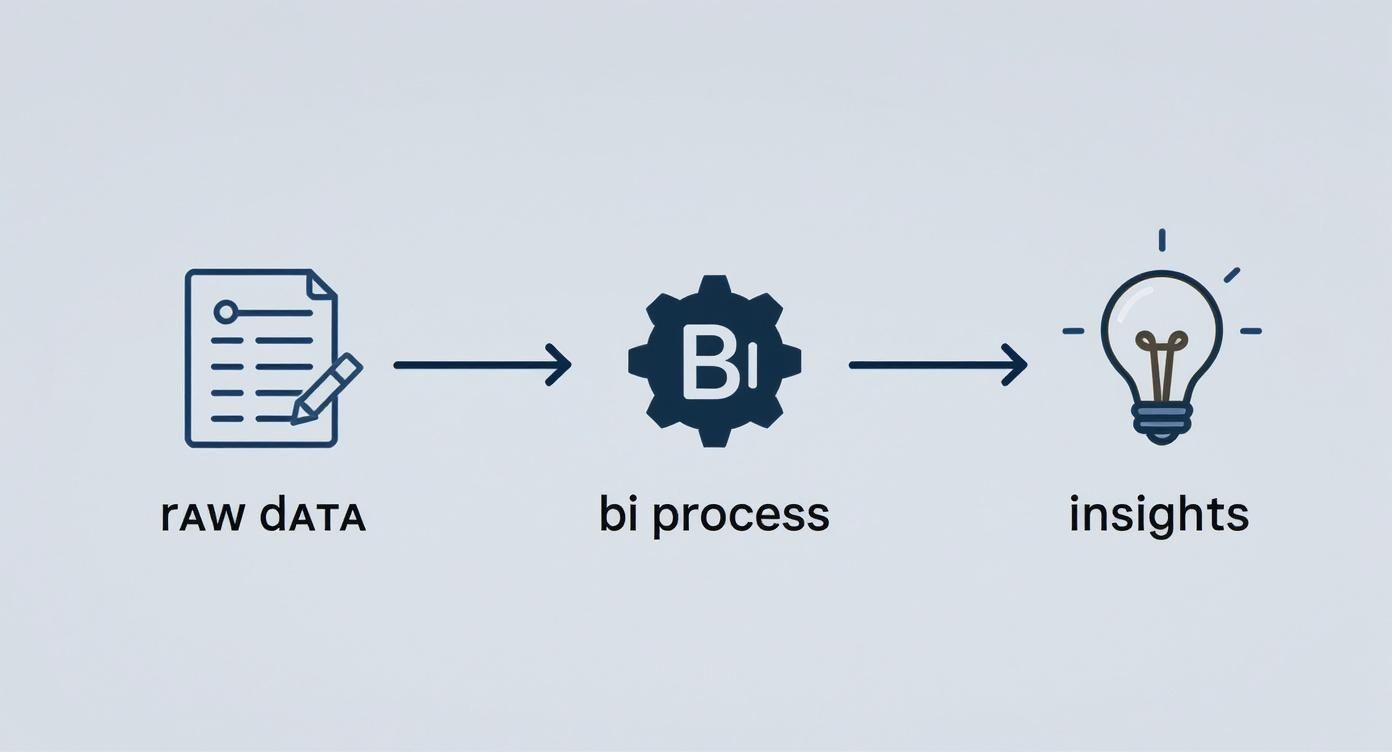
A proper BI process is what separates raw data from reliable intelligence.
Stage 1: Data Sourcing and ETL
The process begins by gathering data from all your systems: accounting software, CRM, stock control spreadsheets, and Google Analytics. In its raw form, this data is often inconsistent and contains errors.
The ETL (Extract, Transform, Load) process acts as a quality control checkpoint.
- Extract: Data is pulled directly from its source.
- Transform: It is then cleaned, standardised, and formatted. This might involve converting currencies, fixing typos, or matching customer IDs across systems.
- Load: Finally, the clean, organised data is loaded into a central repository.
Without a solid ETL process, your reporting is built on a shaky foundation. ETL guarantees that the sales figure you see is the correct, validated number.
Stage 2: The Data Warehouse
After ETL, the clean data needs a permanent, organised home. A data warehouse is a central database designed specifically for analysis and reporting. It is optimised for answering business questions quickly, unlike the operational databases that run your daily activities.
Think of a data warehouse as your business's central library. It stores historical and current data in a logical, accessible structure, making it easy to find information without slowing down your live operational systems.
A retail business, for example, could store years of sales data in its warehouse, organised by store, product, and date. This structure allows them to analyse long-term trends without straining their point-of-sale system. You can learn more about how to choose the right data warehouse for your business.
Stage 3: The Semantic Model
With clean data stored centrally, the next step is making it understandable for non-technical users. The semantic model acts as a business-friendly map of your data. It translates technical field names like dbo.inv_fact.total_revenue into simple terms like "Total Sales".
This model is also where you define key business rules and calculations. You can pre-define metrics like "Profit Margin" or "Year-on-Year Growth," ensuring everyone in the company uses the same formula. This creates a "single source of truth" and eliminates conflicting reports from different departments.
Stage 4: Reporting and Visualisation
This is the final stage, where data comes to life. Using tools like Power BI, we connect to the semantic model to build interactive reports and dashboards. This is the part of business intelligence and reporting that most people interact with daily.
Organised data is presented in visual formats for quick consumption:
- Bar charts showing sales performance by region.
- Line graphs tracking inventory levels over time.
- Maps visualising customer locations.
Unlike static spreadsheet charts, these dashboards are interactive. A manager can click on a province, and all related charts and tables instantly update to reflect that filter. This ability to explore data empowers your team to uncover their own insights and answer follow-up questions on the fly.
Need help building a robust BI system from the ground up? Contact DataSimplified to discuss how we can turn your business data into powerful insights.
Choosing the Right BI Tools for Your Business
Selecting the right technology for your business intelligence and reporting can be overwhelming. The market is full of options, all promising to solve your data challenges. For a small or mid-sized business, the goal is to find a tool that is powerful, user-friendly, and cost-effective.
You don't need a massive enterprise system that requires a dedicated team of developers. You need a solution that fits your resources, integrates with your existing software, and delivers clear value without a large upfront investment.

The choice typically comes down to a modern, all-in-one platform or a traditional, component-based stack.
Modern All-in-One Platforms like Power BI
For most small to mid-sized businesses (SMEs), a modern platform like Microsoft Power BI is the most practical choice. These tools are designed to be user-friendly, allowing business users to connect to data and create reports with minimal technical assistance. They bundle data connections, modelling, and visualisation into one cohesive package.
Key advantages include:
- Ease of Use: Power BI’s drag-and-drop interface is familiar to anyone who has used Excel, significantly reducing the learning curve.
- Seamless Integration: As a Microsoft product, it integrates effortlessly with tools like Office 365, SharePoint, and SQL Server.
- Cost-Effectiveness: Entry-level versions are often free or very affordable, allowing you to start small and scale as your business grows.
This self-service approach empowers your team to find answers independently, without creating a bottleneck for the IT department. For a deeper dive, check out our guide on how Power BI is transforming business intelligence for companies of all sizes.
The Traditional Component-Based Stack
The alternative is the traditional, component-based approach, represented by the classic Microsoft SQL Server BI stack. This method uses separate, specialised tools for each step of the BI process:
- SSIS (SQL Server Integration Services): The workhorse for heavy-duty ETL (Extract, Transform, Load) jobs.
- SSAS (SQL Server Analysis Services): Used to build powerful semantic models, often called "cubes."
- SSRS (SQL Server Reporting Services): The tool for creating and distributing pixel-perfect, paginated reports.
While this stack is incredibly powerful and highly customisable, it is also far more technical and resource-intensive. It requires specialised data engineering skills to set up and maintain, making it a better fit for larger organisations with dedicated IT teams. For an SME, the cost and complexity can quickly outweigh the benefits.
To make the difference clear, here is a side-by-side comparison.
Comparing BI Tool Approaches for SMEs
| Feature | Power BI (Modern Approach) | Traditional MS BI Stack (SSIS/SSAS/SSRS) |
|---|---|---|
| Setup & Complexity | Low. A single, integrated platform. | High. Requires separate setup for each component (ETL, model, reports). |
| Required Skills | Business analyst or power user-friendly. | Specialised data engineers and BI developers. |
| Speed to Insight | Fast. Go from data to dashboard in hours or days. | Slow. Development cycles can take weeks or months. |
| Cost | Low entry point (free/low-cost licences). | Higher. Requires SQL Server licences and specialised developer salaries. |
| Best For | SMEs, agile teams, and self-service analytics. | Large enterprises with complex, rigid reporting needs. |
| Flexibility | High. Easy to adapt and build new reports. | Low. Changes often require a formal development process. |
The choice depends heavily on your team's size, skills, and how quickly you need to act on your data.
For most small and mid-sized businesses, the agility and accessibility of an all-in-one platform like Power BI provide a much faster path to value. You get 80% of the power of a traditional stack with only 20% of the complexity.
What About Enterprise-Level Tools?
You may also hear about tools like Ab Initio or CloverDX. These are high-end, enterprise-grade platforms designed for massive-scale data processing in large corporations like major banks and telecommunication companies. They offer immense power and governance but come with a matching price tag and learning curve. For any SME, these tools are almost certainly overkill.
Ultimately, the goal is to choose technology that aligns with your business reality. Investing in a solution that's too complicated or expensive will only hold you back. The right BI and reporting tool should be a powerful ally, not a burden.
Need a hand navigating the options and picking the right BI tools for your specific needs? Contact DataSimplified to chat about how we can turn your business data into your biggest asset.
Your Roadmap to Implementing Business Intelligence
A successful business intelligence project is built on a clear plan, not just on buying software. For a small or mid-sized business, adopting technology without a strategy leads to confusing dashboards and wasted investment. This practical roadmap ensures your BI implementation delivers real, tangible results.
The journey starts with focusing on business outcomes, not just features. Before you consider dashboards, you need to define what success looks like for your business.
Start with Your Business Questions
This is the most critical first step: pinpointing the exact questions your business needs answers to. Don't start by asking, "What data do we have?" Instead, ask, "What do we need to know to grow?"
This simple shift turns a technical exercise into a strategic one. Gather your management and operations teams to identify their biggest blind spots.
- A sales manager might ask: "Which of our products have the best profit margins, and who are our top salespeople selling them?"
- An operations manager might need to know: "Where are the most common delays in our delivery process, and what are they costing us in fuel and overtime?"
- A business owner might wonder: "Which marketing channels are bringing in valuable long-term customers, not just one-off sales?"
Focusing on these high-impact questions ensures your first BI project provides immediate, recognisable value.
Identify and Audit Your Data Sources
Once you have your key questions, the next step is to find where the answers are located. This means inventorying all your data sources, such as accounting software, a CRM system, stock management spreadsheets, or website analytics.
During the audit, assess the quality of the data. Is it complete? Are there obvious errors or inconsistencies? Don't worry if it isn't perfect—few businesses have flawless data. The goal is to understand what you're working with. This knowledge is crucial for planning the data engineering and ETL (Extract, Transform, Load) work needed to clean and structure it.
A common mistake is waiting for "perfect" data before starting a BI project. A good implementation plan includes data cleansing as part of the process, allowing you to get started with what you have while improving quality over time.
This proactive approach is becoming more common. The adoption of business intelligence tools in South Africa has seen a significant rise, with the local BI market growing by 12% year-on-year in 2022. This growth reflects a broader trend of companies investing in digital tools to shape their strategy. You can read the full report on South African BI trends to see how local businesses are benefiting.
Start Small with a Pilot Project
Trying to build a massive, all-encompassing BI system from the start is a recipe for failure. A smarter approach is to choose one critical business question and launch a small, focused pilot project to answer it. This minimises risk, controls costs, and demonstrates value quickly.
For example, you could start with a single Power BI dashboard that tracks daily sales performance against targets. This delivers immediate utility to your sales team and builds momentum. A successful pilot creates internal champions for the BI initiative, making it easier to get buy-in for future expansion.
Develop Data Governance and Drive Adoption
As your BI capabilities expand, establishing clear rules for your data is essential. Data governance is the process of defining who is responsible for data accuracy, who has access to what information, and how key metrics are calculated. This prevents different departments from pulling conflicting numbers from the same system.
Finally, technology is only effective if people use it. Drive adoption by providing training and showing your team how new dashboards make their jobs easier. When your staff see that business intelligence helps them make better decisions and achieve their goals, it becomes an indispensable part of your company culture. As you develop your roadmap, consider these essential business intelligence best practices for long-term success.
Need help building your next Power BI dashboard or data automation workflow? Contact DataSimplified to discuss how we can turn your business data into powerful insights.
BI Use Cases for South African Businesses
Theory is useful, but seeing business intelligence and reporting in action brings its value to life. For South African small and mid-sized businesses, BI is not an abstract concept; it's about solving real, everyday challenges using existing data.
Let's look at concrete examples of how local companies use BI to gain a competitive edge.
Optimising a National Retail Operation
Consider a local retail business with stores across several provinces. The owner’s main challenges are managing stock effectively and identifying which products are truly profitable. Without a unified view, they rely on disconnected reports and gut instinct.
A Power BI dashboard changes this by pulling data from their point-of-sale and inventory systems.
- Sales Monitoring: The dashboard provides a live view of daily sales, broken down by province, city, and store. Managers can spot performance issues as they happen.
- Stock Optimisation: By comparing sales velocity with stock levels, the system can flag products selling quickly in Durban but gathering dust in Johannesburg. This allows them to shift stock where it's needed, preventing lost sales and markdowns.
- Profitability Analysis: The report clearly shows which product lines are most profitable—not just the highest-selling. This informs smarter purchasing and marketing decisions.
Driving Efficiency in Logistics
Think of a mid-sized logistics company in Cape Town. Their biggest expenses are fuel and driver overtime. Even small savings in these areas can have a major impact on their bottom line.
Using BI, they can track vehicle telematics, fuel card data, and delivery schedules in one place. This data feeds a dashboard focused on operational efficiency.
By visualising route performance and driver idle times, the company can quickly identify inefficient delivery patterns. This data provides the evidence needed to re-plan routes, reduce fuel consumption, and improve on-time delivery rates—directly boosting profitability.
This is not just an office-based activity. Mobile BI adoption in South Africa has grown, with 48% of businesses now using mobile apps for real-time dashboards. This is especially true in sectors like logistics and retail, where 72% of users report making faster decisions. You can discover more insights about mobile BI adoption in South Africa to see the full trend.
Improving Profitability for a Services Firm
Finally, imagine a professional services firm in Sandton struggling with project profitability. A project looks good at the quoting stage, but after tallying the hours spent, it has barely broken even.
By implementing a straightforward BI solution, they can analyse data from their time-tracking and accounting systems.
The firm can build a simple report comparing quoted hours versus actual hours for every project, broken down by client and project type. This instantly reveals which types of projects are consistently underestimated, allowing them to refine their quoting process. The analysis also highlights their most profitable clients, guiding their business development strategy.
For more on this approach, our team offers expert analytics and consulting services.
These examples show that business intelligence is a practical, accessible way for any business to solve tangible problems, drive efficiency, and unlock real growth.
Empowering Your Team with Self-Service BI
Not long ago, getting a new business report was a slow process. A manager would request a report from the IT department and then wait for days or weeks. This delay killed any opportunity for agile decision-making.
Modern business intelligence and reporting changes this dynamic. The goal is to put power directly into the hands of the people who need it: your sales managers, operations leads, and department heads. This is self-service BI.
It shifts the focus from IT providing finished reports to giving non-technical team members the tools to explore data, build their own dashboards, and find their own answers without writing code.
From Gatekeepers to Enablers
Platforms like Power BI excel here. Their intuitive, drag-and-drop interface allows business users to connect to approved data sources and create visualisations in minutes. This changes the role of the technical team from information gatekeepers to insight enablers.
Instead of building every report, the data team focuses on creating a secure, reliable, and high-performance data foundation—the "single source of truth." With this solid groundwork, business users can explore freely, knowing the numbers are accurate and consistent. This fosters a data culture where people are encouraged to ask "what if?" and pursue their own lines of inquiry.
The Critical Role of Governance
However, providing access without rules leads to chaos. Empowerment requires guardrails. Conflicting reports and eroded trust in the data are the results of a lack of governance.
A smart governance model is non-negotiable for self-service BI. It's about finding the right balance.
- Controlled Access: Users should only see the data relevant to their roles. Proper security keeps sensitive information protected.
- A Solid Semantic Layer: The data team defines key business metrics—like "Net Profit" or "Customer Lifetime Value"—in one central place. This ensures everyone uses the same calculations and speaks the same language.
- Certified Datasets: Key data sources are marked as "certified" to signal that they are reliable and ready for analysis.
A well-built semantic layer is the backbone of self-service BI. It translates complex database tables into simple business terms, guaranteeing that when two people look at "Total Sales," they are always looking at the exact same number, calculated the same way.
The shift to this model is accelerating. In South Africa, 58% of organisations now provide self-service BI platforms to their staff. These companies report an average 45% reduction in the time it takes to get reports. You can learn more about the top BI tools in South Africa to see how this trend is playing out locally.
By removing old bottlenecks, self-service BI allows the people who know your business best to make faster, smarter decisions. Your data becomes a real, operational asset.
Need help building a secure, self-service BI environment for your team? Contact DataSimplified to discuss how we can turn your business data into powerful insights.
Common Questions About Business Intelligence
Taking the first step into business intelligence can feel daunting. Business leaders often have similar questions about cost, data quality, and whether BI is suitable for a smaller company. Let's address these common concerns.
Is Business Intelligence Only for Large Corporations?
Not anymore. This is a common myth from an era when BI required massive on-premise servers and expensive software licenses. Today, cloud-based tools like Power BI have made world-class analytics accessible to businesses of all sizes.
For a South African SME, even a simple dashboard tracking a few key performance indicators can be a game-changer. It provides the operational clarity once reserved for large enterprises, offering a significant competitive advantage.
How Much Does a BI Project Typically Cost?
The honest answer is: it varies. The cost depends on the complexity of your data and your objectives. However, you don't need a large budget to get started. Beginning with a single, high-impact pilot project is a smart, cost-effective approach.
The key metric to focus on is return on investment. A well-executed BI solution should pay for itself quickly by cutting costs, improving operational efficiency, or identifying new revenue opportunities. A specialist partner can help define a project that delivers the greatest value for your budget.
Remember, the cost of not knowing your numbers is often far greater than the cost of a BI project. Flying blind in a competitive market is a risk most businesses cannot afford.
Our Data Is a Mess. Can We Still Use BI?
This is the most common concern we hear, and the answer is always yes. You do not need perfect, clean data to begin your BI journey. Waiting for "perfect" data is a form of procrastination that delays access to valuable insights.
A good BI project starts with data engineering. This involves building ETL processes to extract, clean, and organise the data you need from your most important systems. The key is to start small—focus on one high-value area like sales or inventory, prove the concept, and then expand. This approach delivers a quick win while you steadily improve your data quality over time.
Need help answering your business's most critical questions with data? Contact DataSimplified to discuss how we can build a business intelligence and reporting solution that fits your specific needs and budget at https://datasimplified.co.za.
